
- Claude Code
- Anthropic
- AI Agents
- AI Coding
- Large Codebases
- Context Engineering
- CLAUDE.md
- MCP
- LSP
- Subagents
- Best Practices
- Generative AI
Claude Code in Large Codebases: Best Practices and Where to Begin
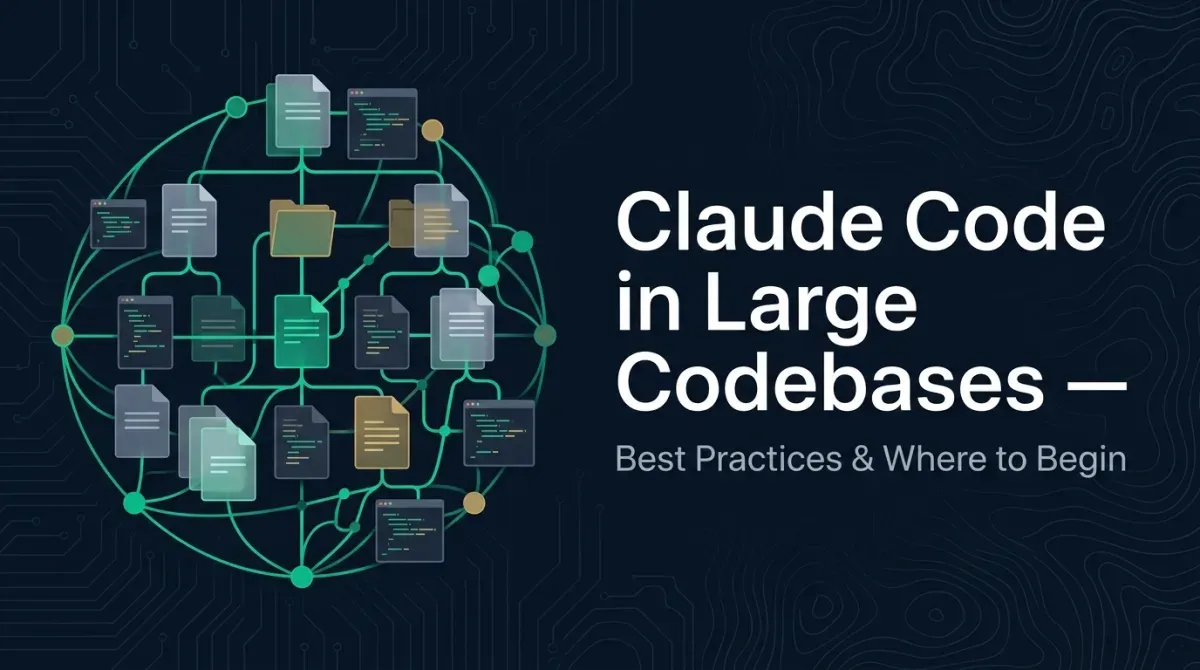
Anthropic’s How Claude Code works in large codebases: Best practices and where to start, published on their official blog, is — as of its release in May 2026 — one of the most practically useful primary sources for operating Claude Code at enterprise scale.
It takes the question we hear over and over in the field — “doesn’t AI coding fall apart once the codebase gets big?” — and systematically lays out Anthropic’s own answer for why it doesn’t have to. In this article we walk through the key points, overlaid with what we observe in our own implementation work.
Why Claude Code holds up in large codebases
The first thing to understand is the choice of search strategy.
Many “understand-your-codebase” AI tools rely on RAG (Retrieval-Augmented Generation): they embed the entire repository into vectors, build an index, and pull back the most relevant chunks at query time. That works at small to medium scale, but in an actively developed codebase the embedding pipeline can’t keep up with reality. Deleted modules, renamed functions, and replaced patterns get recalled from a stale index as if they were the current truth.
Claude Code avoids this problem structurally.
It uses Agentic Search: the agent walks the file system, reads the files it needs, searches with grep, and follows references. This is almost exactly what a human engineer does when dropping into an unfamiliar repository, and every session looks directly at the current codebase. Index drift simply can’t happen by construction.
There is a trade-off. Agentic Search depends on the quality of its starting point — where to begin exploring, what to read, which references to follow. That is exactly what Claude Code’s other protagonist, the harness, is there to support.
The seven elements around Claude Code
In this article, Anthropic is explicit: it isn’t the model alone but the execution environment around the model — the harness — that decides success or failure in a large codebase.
The original article defines the harness as five extension points (CLAUDE.md / Hooks / Skills / Plugins / MCP servers). Here we add LSP and Subagents — which work alongside the harness to provide symbol-level search and isolated context — and organize them as seven elements worth understanding before putting Claude Code into real use.
1. CLAUDE.md (the project charter)
A document of “what everyone on this project takes for granted,” loaded automatically at the start of a session. The key is not “one file at the root” but placing them hierarchically. Claude walks up the directory tree and additively loads every CLAUDE.md it finds along the way.
Because CLAUDE.md is read on every single session, bloat translates directly into context consumption and cognitive noise. Constant pruning is required: “keep only broadly applicable instructions” and “push local conventions down into subdirectories.”
2. Hooks (deterministic automation)
Scripts that run deterministically before and after tool calls. For areas where “enforcing a rule is more reliable than asking Claude to remember it” — lint, format, type checking — locking them down with Hooks is the standard play.
The article also describes patterns like using a Stop hook to surface proposed CLAUDE.md updates after a session, or a Start hook to dynamically load team-specific context. It’s a distributable mechanism that gives every developer the same environment without manual setup.
3. Skills (on-demand expertise)
Reusable bundles of know-how loaded only when a specific task calls for them. What matters is that a Skill can be scoped to a specific path. For example, if the team that owns the payments service ties a “deployment Skill” to that directory, it won’t auto-load and pollute context when another team is working elsewhere.
4. Plugins (the unit of organizational distribution)
A way to bundle Skills, Hooks, and MCP configuration together and distribute them across the whole organization via a Marketplace. It’s the path for scaling “a working setup” from a single expert to the entire org.
5. LSP (Language Server Protocol) integration
An integration that hands the symbol-level navigation an IDE already has straight to Claude. Without LSP, Claude can only hit files by string matching, which makes name collisions and same-named functions fragile to disambiguate. With LSP, it can correctly tell apart “same name, different scope” symbols and follow references accurately.
For large monorepos in languages where static analysis is complex (such as C/C++), the article notes cases where LSP integration is even pre-provisioned across the organization.
6. MCP Servers (connecting to internal tools and data)
A standard protocol for wiring Claude into internal analytics platforms, documentation, ticketing systems, and more. Once the agent can handle not just code but “business knowledge,” “past tickets,” and “dashboards,” its reach expands dramatically.
7. Subagents (isolated-context clones)
Isolated Claude instances with their own context window, separate from the parent agent. A canonical use is separating exploration from editing: “have a read-only Subagent read an entire subsystem and write out the key files, then have the parent agent focus on editing while carrying only those essentials.” It’s a frequently cited setup for doing deep exploration without polluting the parent’s context.
Three patterns to make a large codebase “walkable”
Assembling these elements isn’t enough on its own. Anthropic distills the operating guidance into three design patterns.
Pattern 1: Navigability (build a structure you can walk)
Terrain work so the agent can traverse the code efficiently.
- Keep CLAUDE.md thin and hierarchical: the big picture and caveats at the root; local conventions in subdirectories.
- Start the work from subdirectories, not the root. This is counterintuitive, but because Claude automatically scans up the directory tree, the root’s global context still gets loaded even if you begin writing from a subdirectory. In a monorepo, investing first in the team-owned subdirectory has the higher return.
- Define build and test commands per subdirectory (especially in a monorepo).
- Use
.ignorefiles such as.gitignoreto exclude generated output, build artifacts, and third-party code so noise doesn’t rot the search. If you want to draw additional boundaries on the Claude Code side, Anthropic also recommends version-controllingpermissions.denyrules in.claude/settings.json. - Place a codebase map (a map file) where the structure departs from convention.
- Always add LSP for symbol-centric languages.
Pattern 2: Revisit CLAUDE.md, Skills, and Hooks every 3–6 months
What Anthropic states explicitly as Pattern 2 is continuous maintenance that keeps pace with the model’s evolution, centered on CLAUDE.md. Skills and Hooks written to work around past model limitations become overhead the moment the current model can solve the same problem on its own, the article points out.
For instance, an instruction like “split refactors into one file at a time” may have helped older models, but once the current model can handle coherent cross-file edits, it only slows the work down. The recommended practice is to review CLAUDE.md, Skills, and Hooks every 3–6 months, or right after a major model update.
Pattern 3: Ownership (who owns it)
The minimal version is the DRI (Directly Responsible Individual) model: appoint one person with decision-making authority over Claude Code configuration, permission policy, the Plugin Marketplace, and CLAUDE.md conventions. In many organizations this DRI sits in a Developer Experience / Developer Productivity function, connected to responsibility for engineer onboarding.
At larger scale, the article describes a new role taking shape — an Agent Manager, a hybrid PM-and-engineer position — and cites cases where a cross-functional working group of engineering × information security × governance representatives jointly drives requirements.
Where to begin
The most practical message you can take from the article is: don’t try to do everything at once. In priority order:
- Get the CLAUDE.md hierarchy right: the big picture and caveats at the root; local conventions in subdirectories.
- Drop the noise with
.ignorefiles like.gitignore: generated output, build artifacts, third-party code. If needed, version-control boundaries viapermissions.denyin.claude/settings.jsontoo. - Define build / test commands per subdirectory.
- Enforce linting / formatting deterministically with Hooks.
- Add LSP if multiple languages are in play (especially symbol-centric languages like C/C++, TypeScript, and Rust).
- Turn team-specific know-how into Skills: on-demand, tightly scoped.
- Connect to internal data / tools with MCP.
- Bundle it into a Plugin for org-wide distribution.
And start by having a single DRI own all of the above — that’s Anthropic’s recommended minimal setup. As the organization grows, evolving toward an Agent Manager or an engineering × information security × governance cross-functional working group comes into view.
Our perspective at FeelFlow
What we see again and again while supporting AI-driven development is a simple fact: only the organizations that invest in building out the harness actually capture the full ROI of AI coding.
The model itself is now the same for everyone. What creates a gap is the “design around the model” — CLAUDE.md, Hooks, Skills, MCP, LSP — and the ownership to maintain it continuously.
For Japanese companies in particular, a non-trivial share of the “we tried AI but it didn’t work as well as we hoped” complaints come not from the model’s limits but from an unbuilt harness. Anthropic’s article lays out the diagnosis and the prescription with remarkable concision.
When you’re starting out, begin with three things: making CLAUDE.md hierarchical, getting .gitignore and friends in order, and naming a single DRI. That’s the highest-ROI way to begin. At FeelFlow, our AI Web Operations service walks alongside teams to stand up AI-driven development — including this work of building out the harness.
References
- How Claude Code works in large codebases: Best practices and where to start — Anthropic’s official blog
This article is also available in Japanese.
More from the blog
Who Decides What, and How Does AI Execute? — Reading the Division of Labor from Anthropic's Claude Code Analysis
Anthropic's Claude Code usage analysis reveals a division of labor: humans set the goal, constraints, and definition of done; AI handles exploration, editing, and execution. From official data on ~400,000 sessions, here's what engineers should hold onto in the AI era.
- Claude Code
- Anthropic
- AI Agents
- AI Spec-Driven Development
Why AI Spec-Driven Development Was Born — Its Originator on the Origin and the Road to Proof
I used to think 'letting AI build software is impossible.' FeelFlow CTO Futoshi Okazaki looks back on why he changed his mind — the origin of AI Spec-Driven Development and the numbers that proved it out on our own SaaS.
- AI Spec-Driven Development
- AI Development
- AI Coding
- AI Agents
The Development Revolution of the AI Era: Why Documentation Is Better When There's Less of It
In 2025, software development has hit a major turning point. With AI tools generating most of the code, why does the old, human-centric documentation system quietly sabotage efficiency — and what does an AI-optimized structure look like?
- AI Development
- Documentation
- AI Spec-Driven Development
- Context Engineering